Mami Doodles Challenges Freebies Inspiration Tutorials

Friday, March 12, 2010

Easter Bunny

Easter is getting closer and if you are very good, the Easter Bunny will bring you some eggs.


The package has the 3 images, the bunny with eggs in the background, and bunny on his own, and the bunny with the basket.
Also included is an Easter Egg, courtesy of Mami Doodles (a cute mini-digi-stamp, not shown) I think you will like it!


Available in the shop, direct link here.

Thursday, March 11, 2010

Cards by my friends

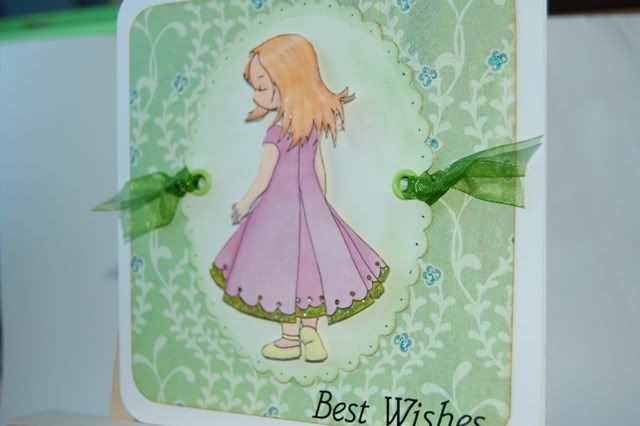
I am always delighted when I see a MamiDoodles cards - love that each card turns out so different from the other ones.

This is Jillian's:

(via Cara Craft Supplies forum)

This is Claire's:

I'm delighted to say that the above card is now in my possession. :-)

This one is Sarah's:


Don't forget to check this blog tomorrow, I have a brand new digi stamp to show!

Sunday, March 7, 2010

A digital card

I did this card while watching TV - no paper, no scissor, just my laptop. I will later print it and pop it into a card. While I love the physical aspects of doing crafts, it is sometimes fun to make a 100% digi card.


* Decorative Circles: Write It Down::Cute Circles by Shimelle Laine @ Two Peas in a Bucket
* Patterned Papers and images: Wynken, Blynken and Nod Kit by Kate Pertiet @ Designer Digitals
* Font: French Script MT

TFL

Saturday, March 6, 2010

Claire's Cards

Don't you love her in blonde? Artwork by the talented Claire, her hair was painted with Pebeo gold paint, it adds a beautiful shimmer to the card.

Friday, March 5, 2010

Molly and Pet

As promissed, here's Molly. I've created Molly for Jackie's cardmaking workshop and she's now on sale here, in case you didn't make to her workshop.


Available in the shop, direct link here.

Jackie gave me lots of great suggestions on how to improve Molly, including the idea of removing the stool, so you can have her sitting anywhere, like here. Thank you, Jackie!

You can see more Molly cards here.

Thursday, March 4, 2010

One MamiDoodles card, one stamped one

Did I tell you about Molly? I designed her for Jackie, for this month's cardmaking class. Jackie gave her a name and gave me great input regarding how she should looked like. All I will tell you is that she looks better and it is much more versatile thanks to Jackie. This is Molly, she aint in the shop yet, but I'll have her out this week, check this blog later!


The main reason I got into digital stamps is that me and rubber stamps don't get along. It takes about 3 to 5 tries to get an usable print - and I just don't have the patience. However I had to have one of these stamps. I just had. She's gorgeous, I love her.

Gorgeous by nature, Gorjuss by name.
You might not be able to see it, but I stamped into a Basic Grey subtle patterned paper (similar to this one) and then just coloured her dress, cheek and the little hearts in her boots. This is a technique I'll repeat with my digis as I was very pleased with the result.

Wednesday, March 3, 2010

Learning as I go 1: Resizing images

Images in JPEG, PNG and GIF can be resized before printing. Some of the most used ones include Photoshop Elements, Word, GIMP and Paint Shop Pro.

Here I'll show you the steps to resize and print with Microsoft Paint. I have Windows 7 - let me know if it works differently in earlier operating systems.

1 Open the image with Microsoft Paint.(Left click on the image and select "Open with... -> Paint" or find Paint in the Accessories folder.)
2.

3. Select page setup

4. Select scaling, then the scale size. 
5. Print

That's it, I hope it helps. Please notice that, by default, Paint adjusts the size of the image to fit the paper, so if you skip step 3 the image will be bigger that you expect.

LinkWithin

Related Posts with Thumbnails